Nutrition OS by OrvantiaWeb app v1.2.0What's new
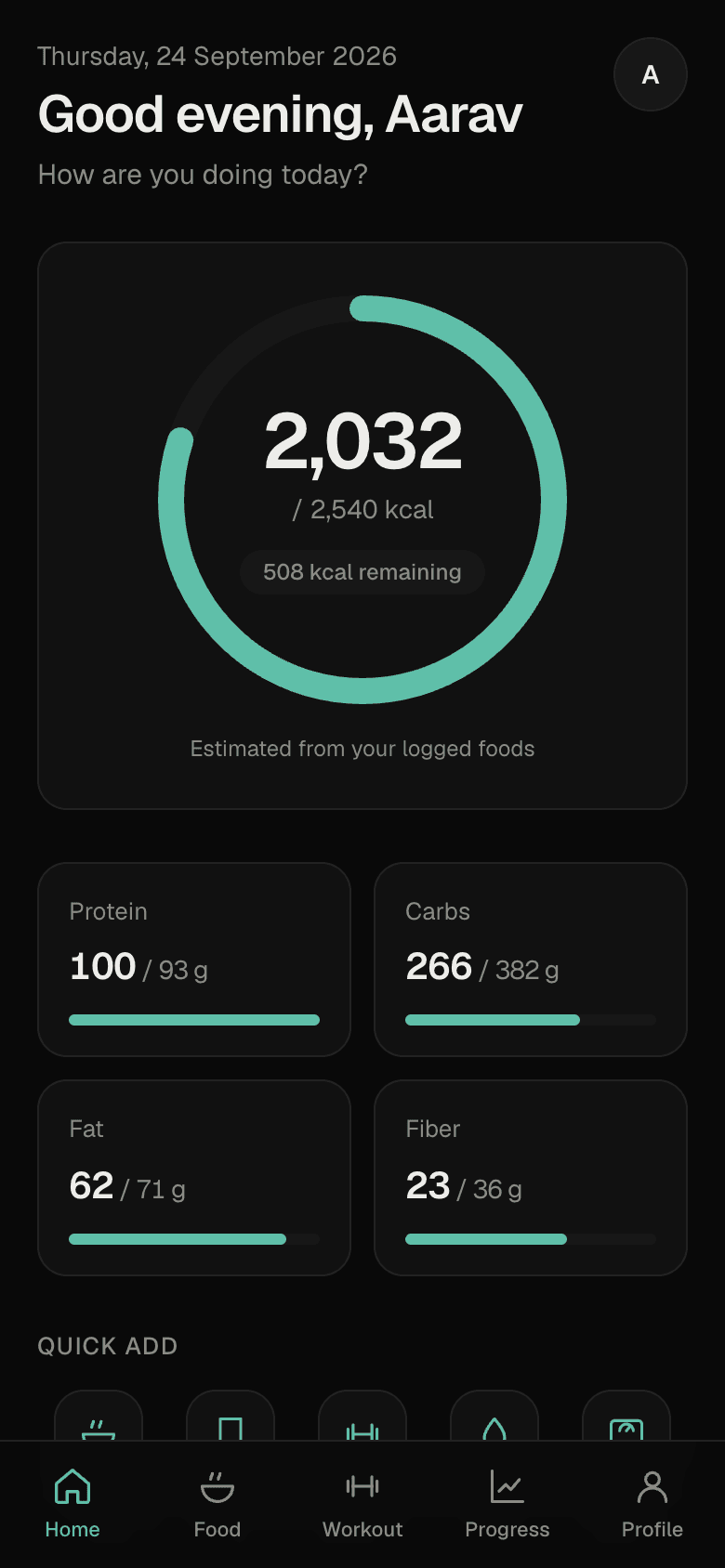
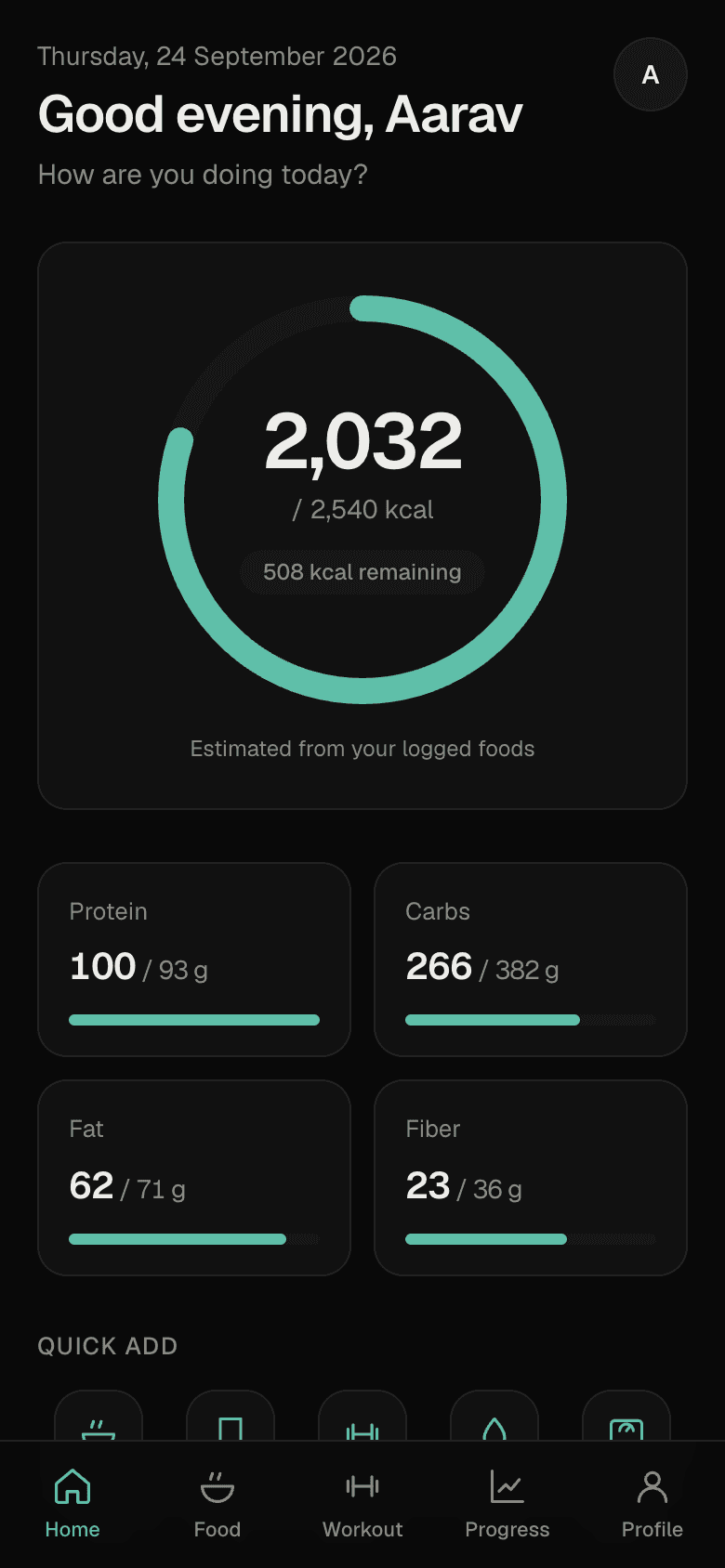
How are you doing today?
Calories, protein, workouts and weight in one calm app — built around Telangana and Indian food, and made for one thumb on your phone.
Web app for now — no download needed · Sign in, then add it to your home screen · Private to you
- Telangana & Indian foods
- 300+Telangana & Indian foods
- exercises, every muscle
- 180+exercises, every muscle
- app — any browser, any phone
- Webapp — any browser, any phone
- logging that syncs later
- Offlinelogging that syncs later
- Pappu
- Pesarattu
- Gongura Chicken
- Ragi Mudde
- Bagara Rice
- Idli & Sambar
- Chepala Pulusu
- Pudina Chutney
- Jonna Roti
- Hyderabadi Biryani
- Tomato Pappu
- Curd Rice
- Egg Curry
- Sarvapindi
- Mirchi Bajji
- Palli Podi
Food
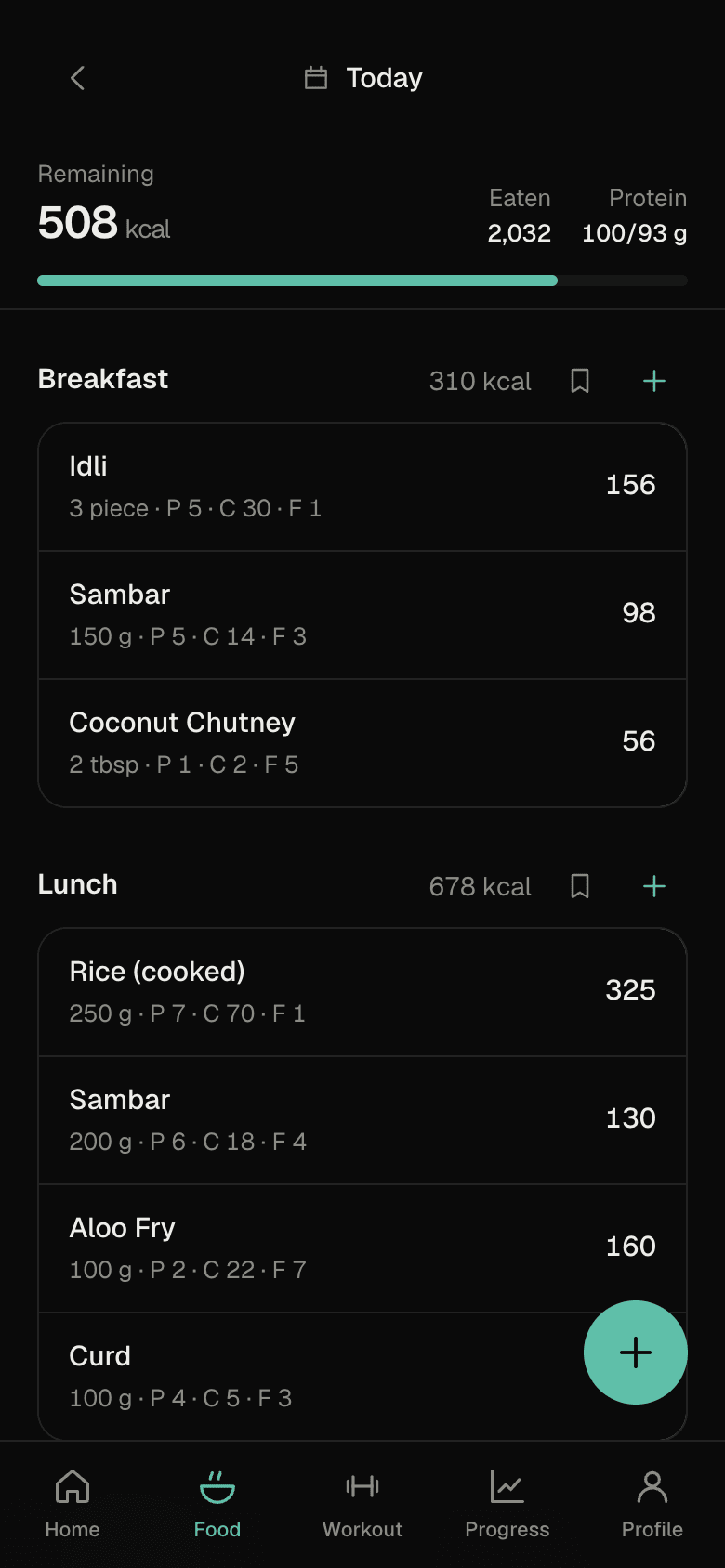
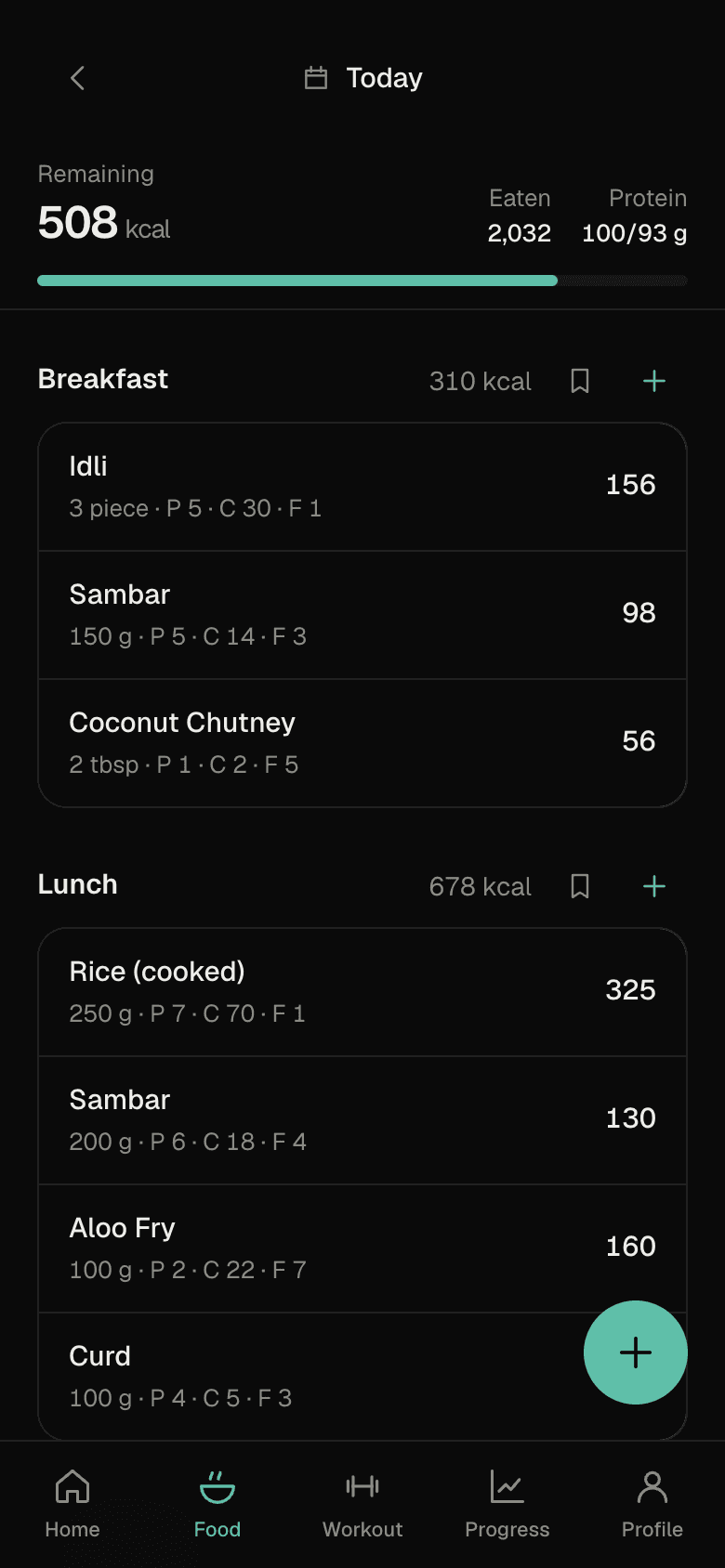
Log what you actually eat — in a few taps.
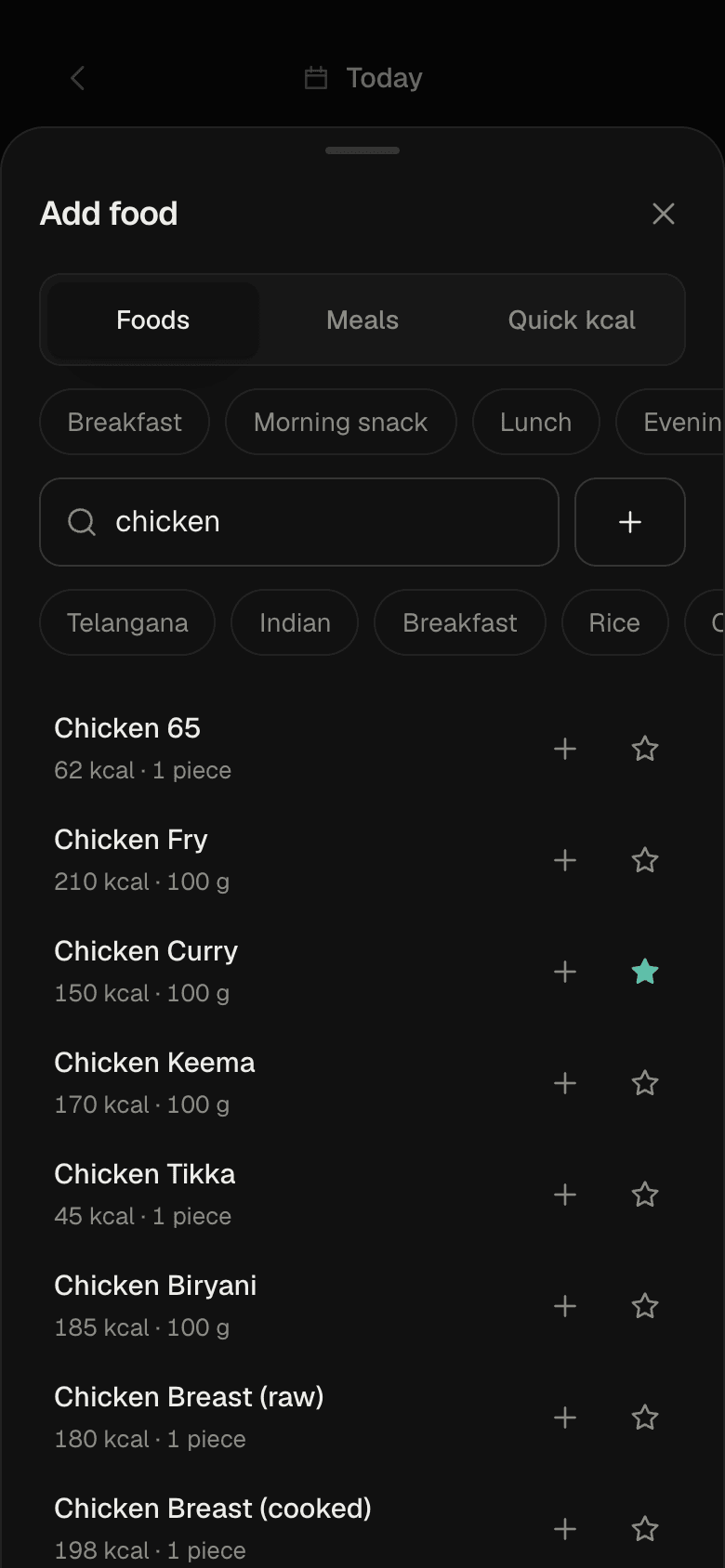
Search in English or Telugu, measure the way you serve it, and correct any estimate. Pappu, pesarattu, gongura chicken and ragi mudde are all already there.
- Search-first, bilingualType “chicken curry”, “పప్పు” or “pudina chutney”. Favourites and recent foods sit at the top.
- Portions that make senseGrams, cups, bowls, rotis, pieces, tablespoons — converted for you.
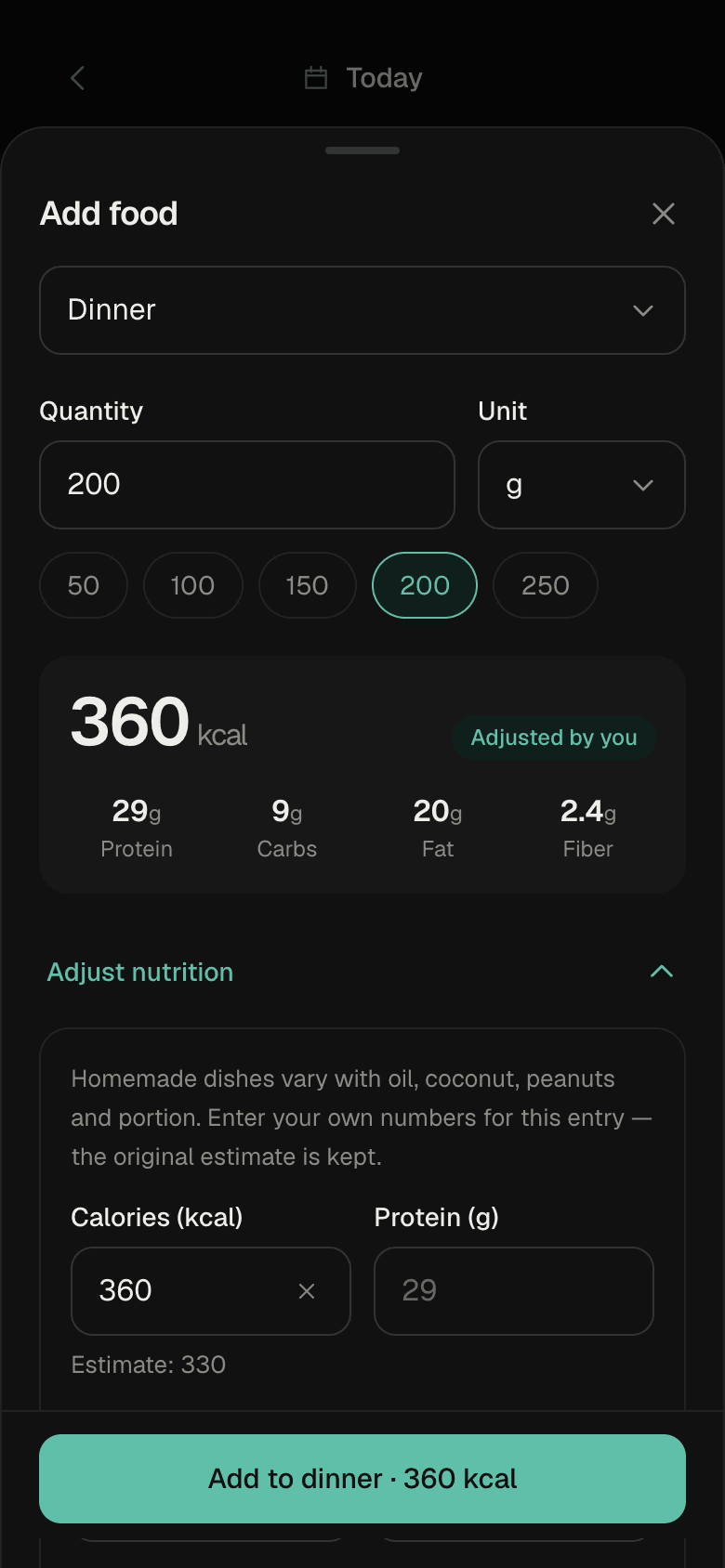
- Adjust nutrition for homemade foodYour curry has more oil? Change the numbers for that entry. The original estimate is kept.
- Or just enter the caloriesQuick kcal takes 750 kcal and moves on. No food required.
Workouts
Train to beat last time.
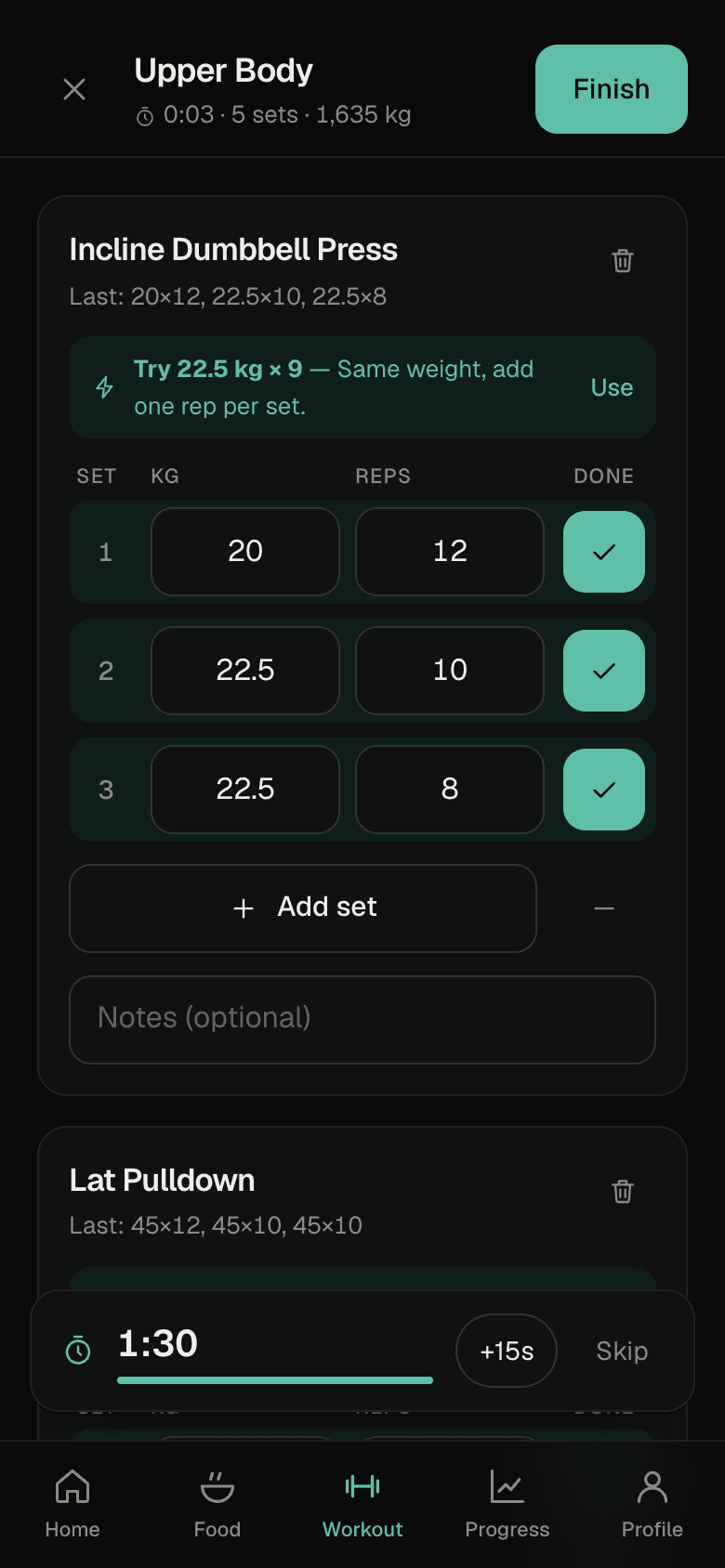
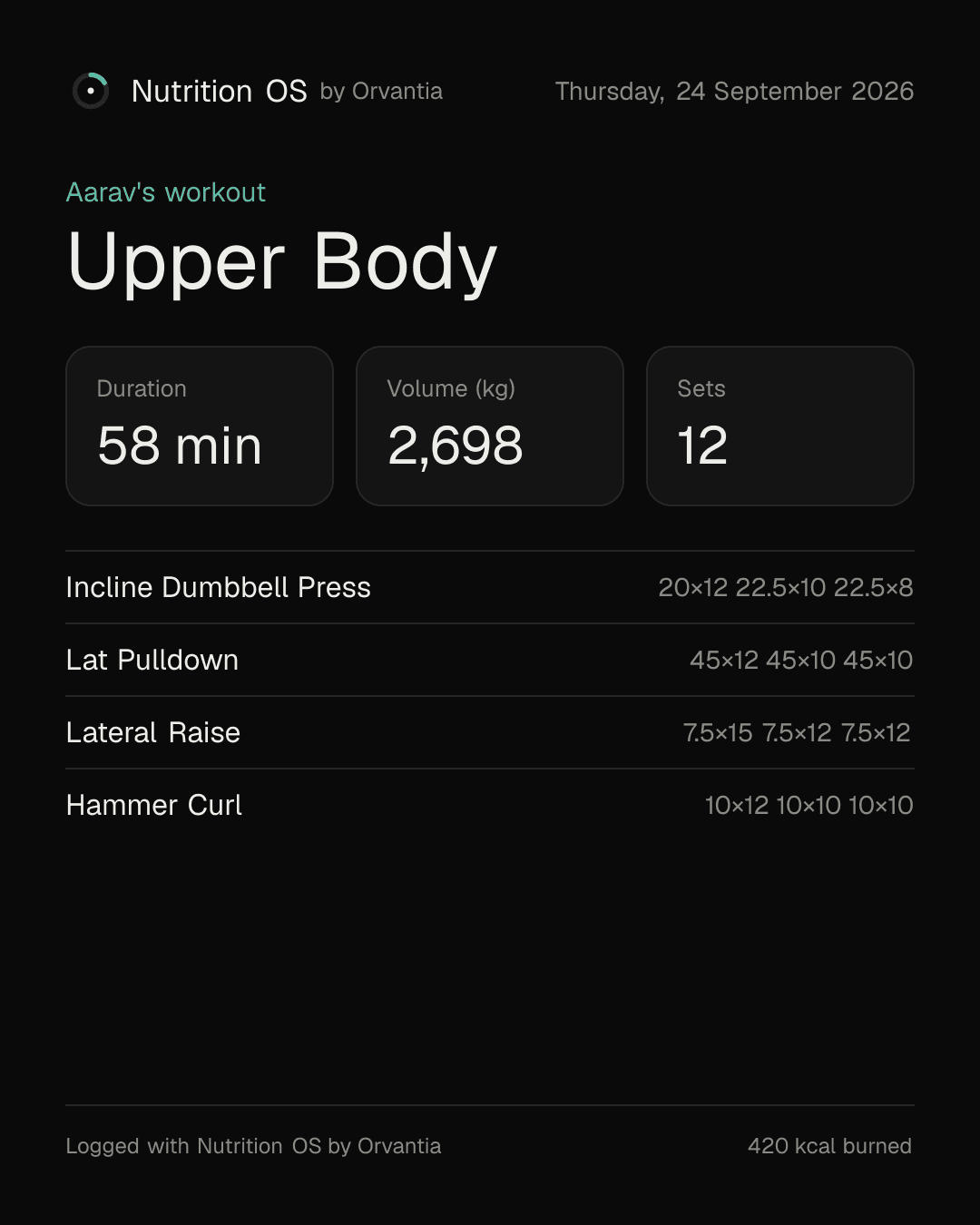
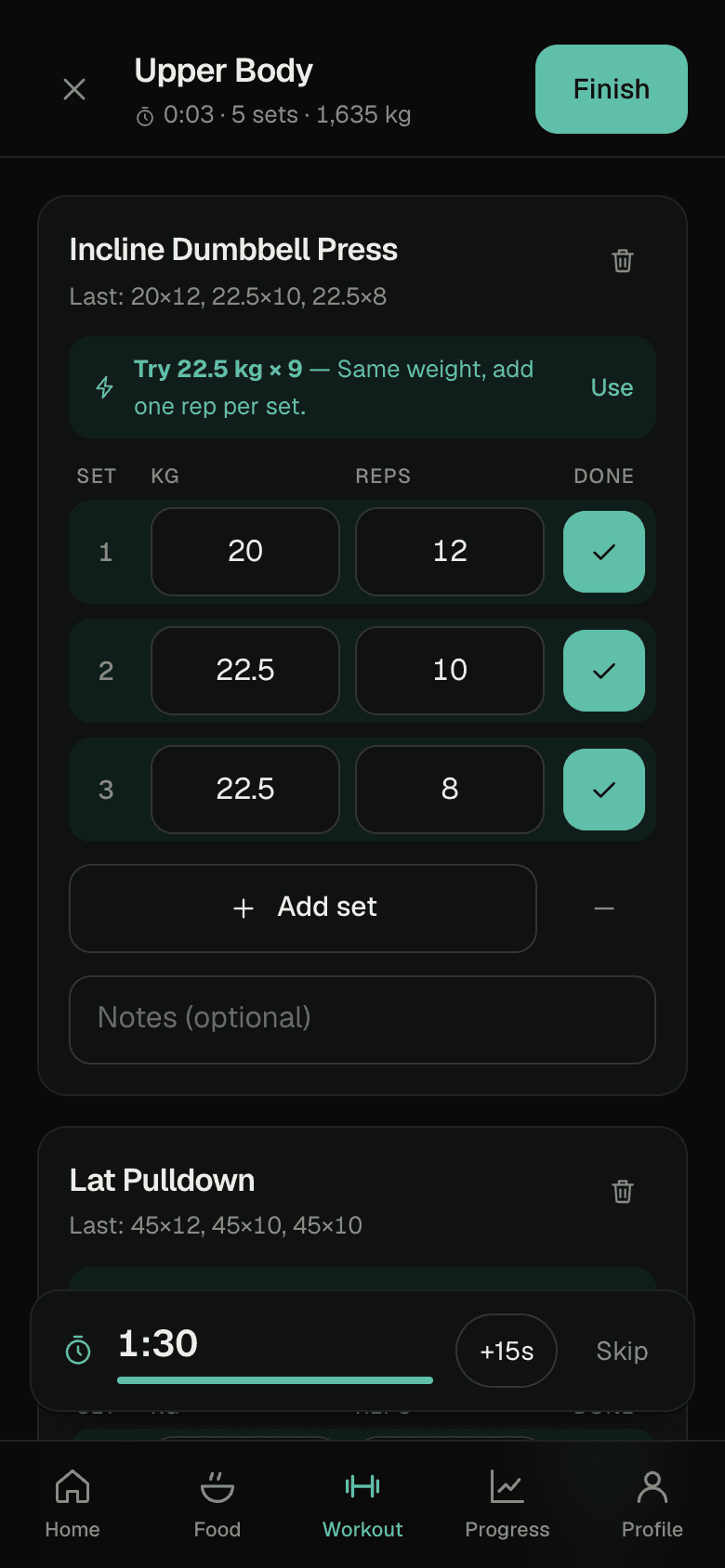
Log every set as you go. Nutrition OS remembers what you lifted and tells you what to try next — then turns the day into an image you can share.
- Set-by-set loggingWeight × reps, optional RPE and notes, and a rest timer that starts on its own.
- Progressive overload, suggested“Try 22.5 kg × 9” — based on your last session, not a generic plan.
- Records and historyPersonal records and charts for every exercise, from 180+ built in or your own.
- Cardio and rest days count tooRuns, cycling, badminton — or mark “No workout today”.
Progress
See the trend, not just today.
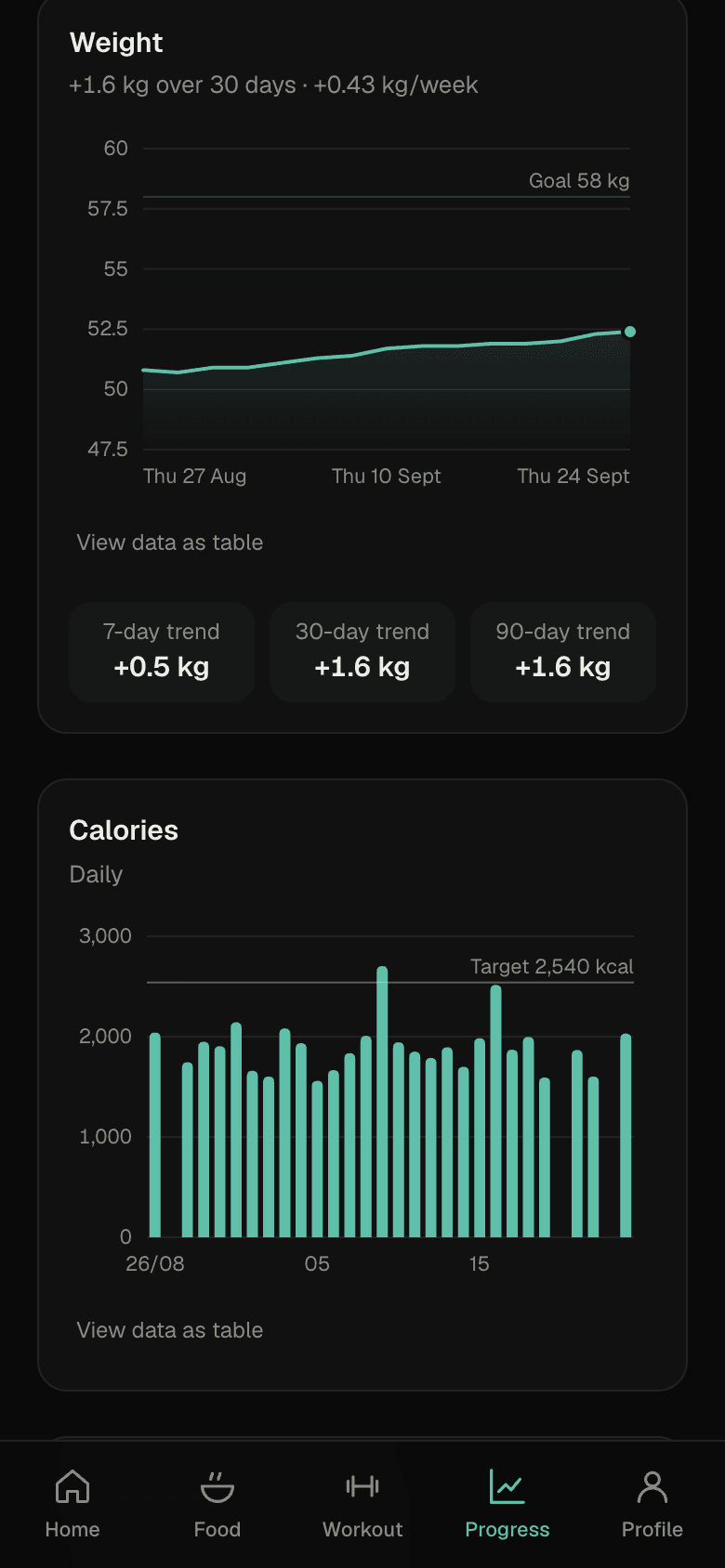
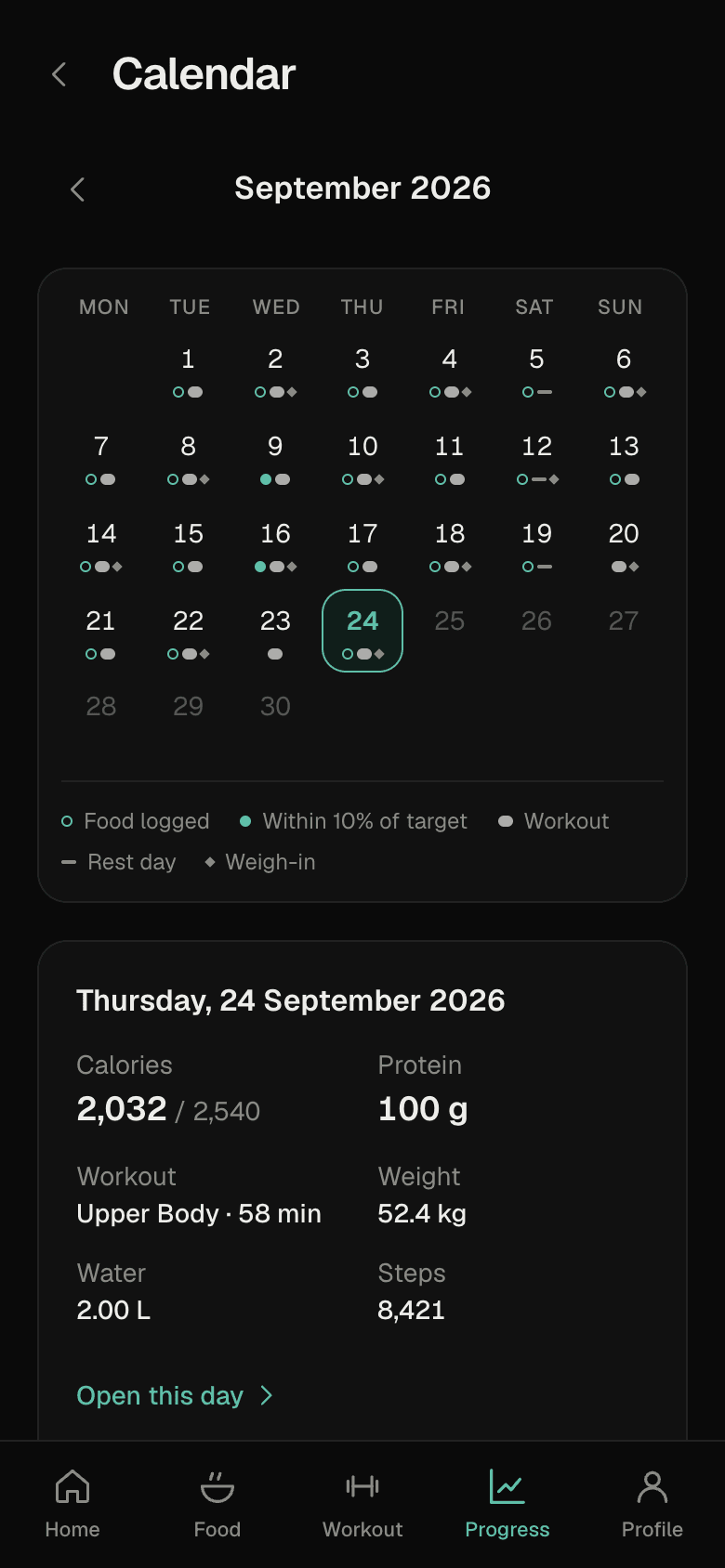
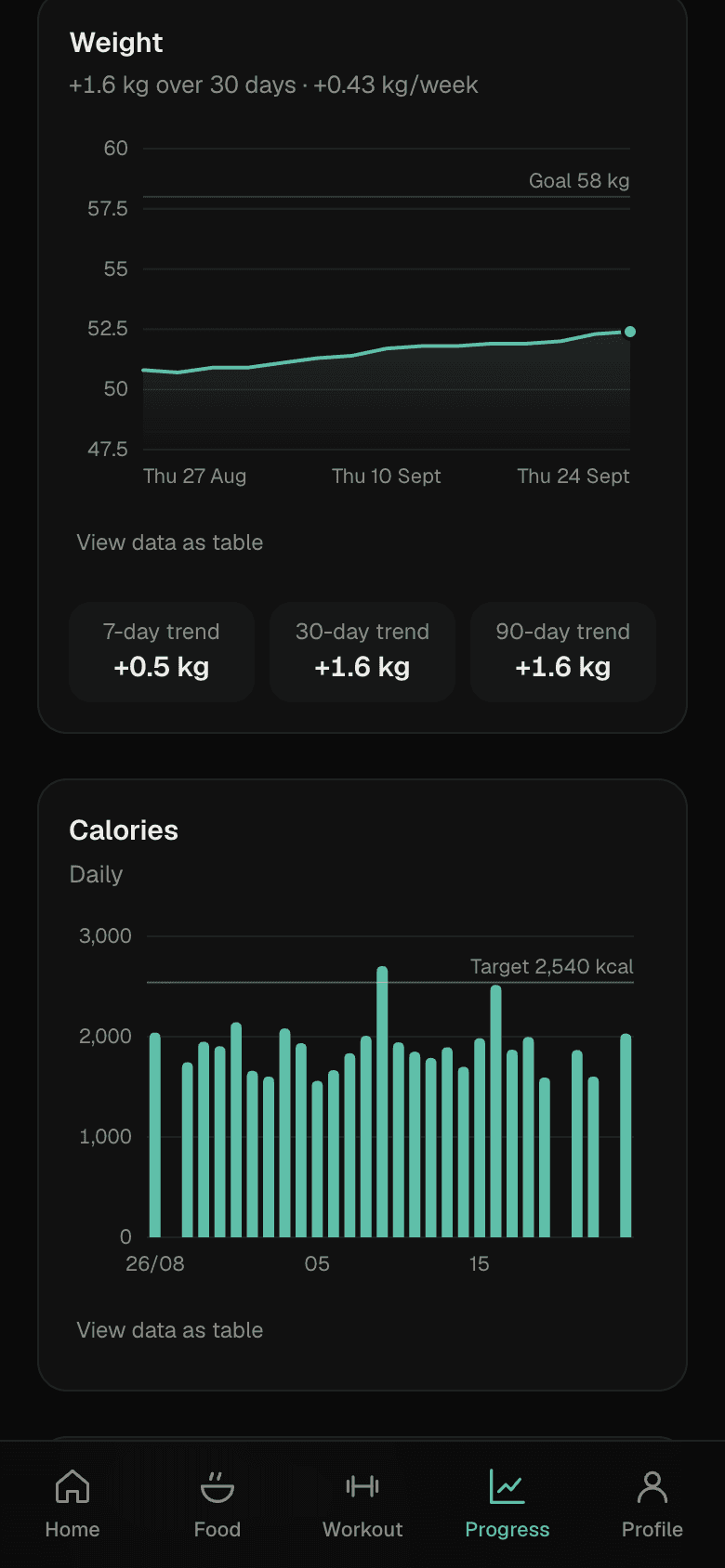
Weight, calories, protein, workouts, steps and water — from the last 7 days to the last year. The calendar shows every day at a glance.
- Honest trendsWeekly rate of change, 7/30/90-day weight trends and your goal on the same chart.
- A calendar that tells the storyFood logged, on-target days, workouts, rest days and weigh-ins — one tap for the details.
- Targets that fit youCalculated from your body and goal. Prefer 2,800 kcal? Set it; your profile stays intact.
And the rest
Everything a day needs. Nothing it doesn't.
Water
250 ml, 500 ml, 750 ml or 1 L in one tap. Undo any drink.
Steps
Add your daily total. Built to sync with health apps later.
Weight & measurements
Daily weigh-ins, 7/30/90-day trends, waist, chest and more.
Meals & recipes
Save “My daily breakfast” once; recipes work out per-serving nutrition.
Your own targets
Calculated from BMR and TDEE — or type your own. Your stats stay intact.
Reminders
Meals, water, workouts and a daily check-in, at times you choose.
Light & dark
Follows your phone, or pick one. Designed for both — try the toggle up top.
Your data, exportable
Download everything as JSON, or your food log as CSV.
New in v1.2
Snap a photo of your plate.
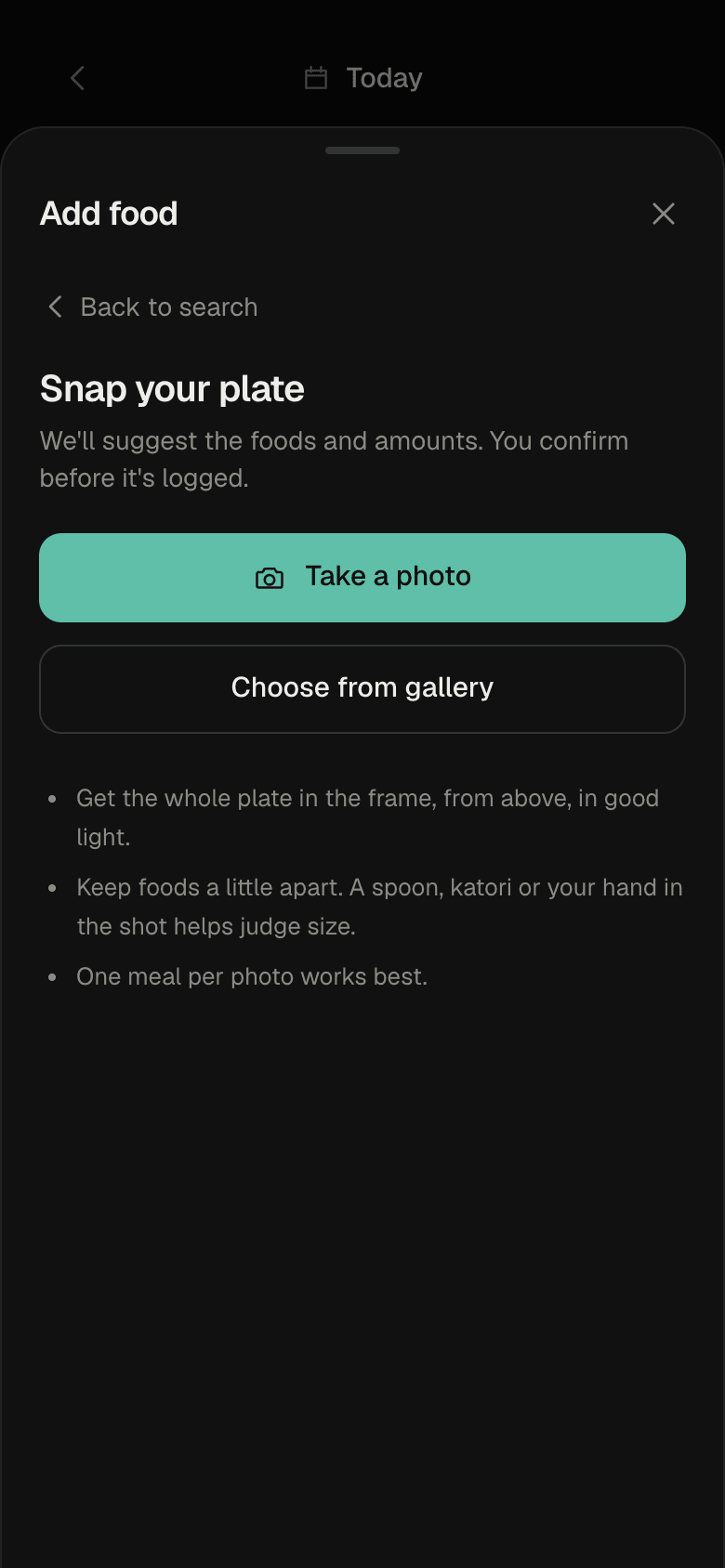
Point your camera at a meal and get the foods and portion sizes suggested for you — then check, adjust and add. Plus a faster, more private app.
- Snap your plate (AI) — BetaStill in testing. Photograph a meal and Google Gemini suggests each food and roughly how much of it. You see every item with an editable amount and calorie estimate, and nothing is logged until you tap Add. Optional, adults only, and you agree first.
- Instant food searchThe whole food list now lives on your phone, so results appear as you type — with no waiting, and even offline. "Add food" opens straight away, and pages load with fewer round trips.
- Privacy & security pageA plain-language page on exactly what we store, who processes it, how it's protected, and how to export or delete everything — plus stronger protection on every open endpoint.
For now, it's a web app. No download needed.
Nutrition OS runs in your browser on any phone, tablet or computer. There's no App Store or Play Store app yet — sign in, then add it to your home screen from inside the app and it opens full-screen with its own icon.
Get started with Google- 1Open it and sign inUse Chrome, Safari, Edge or Firefox, and continue with Google. Setup takes about a minute.
- 2After you sign in, add it to your home screenDo this from inside the app, not from this page, so the icon opens straight to your day. iPhone (Safari): Share → Add to Home Screen. Android (Chrome): ⋮ → Install app. The app also shows a short reminder after your first sign-in.
- 3Use it like an appFull-screen, its own icon, and logging that keeps working on a weak connection.
Private by default.
What you eat and how you train is personal. It stays yours.
Google sign-in
No new password to remember — and none for us to store.
Only you see your logs
Every record is tied to your account and checked on the server.
Export or delete any time
Take all your data as JSON or CSV — or erase your account and everything in it, instantly. Read the full privacy & security page.
No selling your data
We don't sell or share your nutrition and fitness data.
FAQ
Questions, answered.
Are the nutrition values exact?
No food database is. Our values are careful estimates, clearly labelled. Homemade curries vary with oil, coconut, peanuts and portion size — so every entry has “Adjust nutrition”, and the original estimate is kept alongside your number.
Can I just type in the calories?
Yes. Quick kcal lets you enter calories (and protein, carbs, fat if you know them) without picking a food. You never have to fight the database.
Is there an iPhone or Android app?
Not yet — for now, Nutrition OS is a web application, so there's nothing to download from an app store. It runs in any modern browser.
How do I add it to my home screen?
Sign in first, then add it from inside the app: on iPhone (Safari) tap Share → Add to Home Screen; on Android (Chrome) tap ⋮ → Install app. Adding it after you've signed in means the icon opens straight to your day. The app shows a reminder once you're in, and you can find the steps again in Profile.
Can I delete my account?
Yes, any time, from Profile → Delete my account. Type your email to confirm and everything you've logged is erased immediately. You can export a copy first.
What happens on a bad connection?
Logging feels instant. If you're offline, entries wait on your phone and sync on their own when you're back — without duplicates.
Who can see my data?
Only you. You sign in with Google, we never see a password, and your food, weight and workout logs are private to your account. You can export them at any time.
Who makes Nutrition OS?
Nutrition OS is built by Orvantia for people who want to eat and train well without the busywork.
Start with today.
Open it in your browser, set up in about a minute. Your first log takes seconds.
Get started with Google